DS8000 LPAR Reset
Considerations
- Minimum of 1 LPAR operational and online
- 1 LPAR will be down, if the other drops then the machine goes down
PROCEDURE
- Log into the primary HMC.
User: CE
Pass: serv1cece -
Click on the plus (+) sign next to the machine type / model / serial number and click on SF Image #1 to view the LPARs.
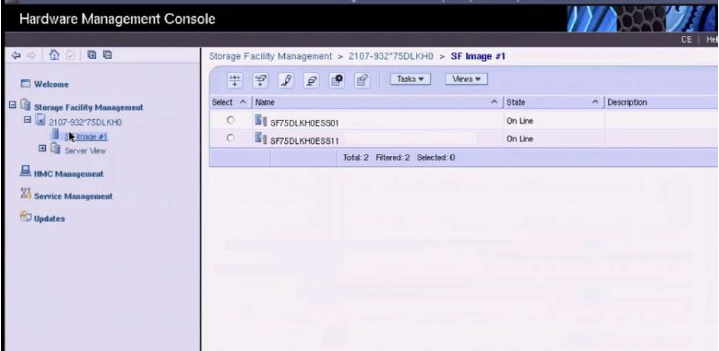
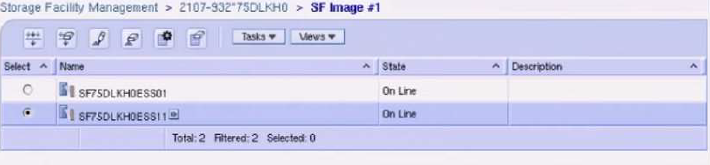
Select the targeted LPAR that you wish to reboot before proceeding
-
Once the correct LPAR has been selected, navigate to Service Utilities > Change/Show LPAR State.
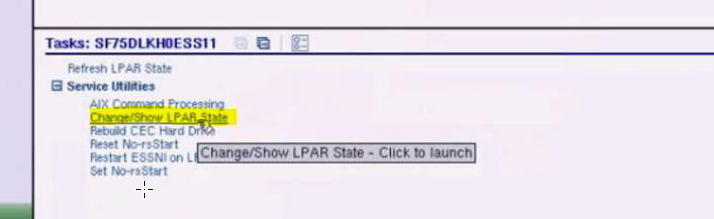
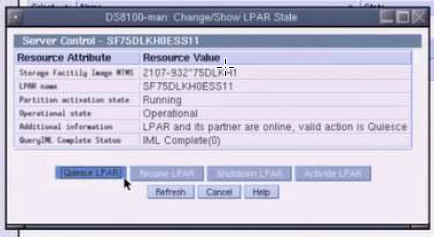
- Quiesce LPAR, this will break the mirror between the 2 CECs and allows for the LPAR to be reboot.
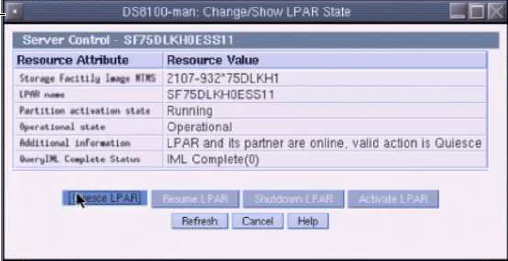
- Next, Shutdown LPAR from the same menu as Quiesce.
- Refresh LPAR status in the Tasks field (bottom half of the screen) to verify State as Off Line for the LPAR.
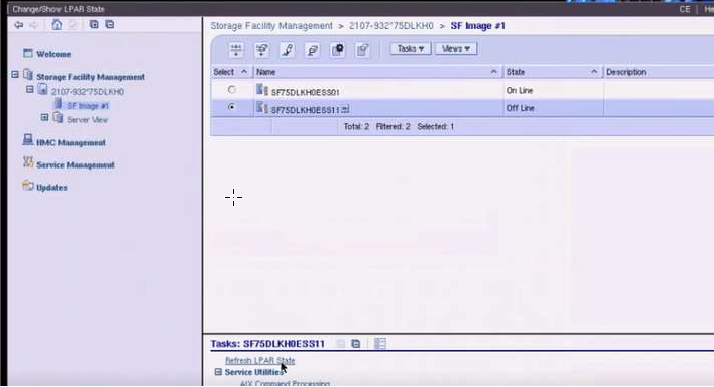
- After the LPAR is verified as being Off Line (shown above), select Activate LPAR.
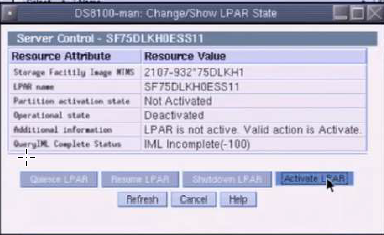
- Once LPAR is activated and showing - Partition activation state: Running, the Resume LPAR button will be available and should be used to recreate the mirror and resume normal operations.
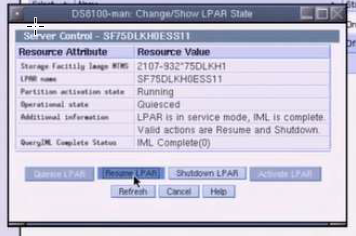
- LPAR is back to normal operations when you see Running / Operational / LPAR and its partner are online, valid action is Quiesce
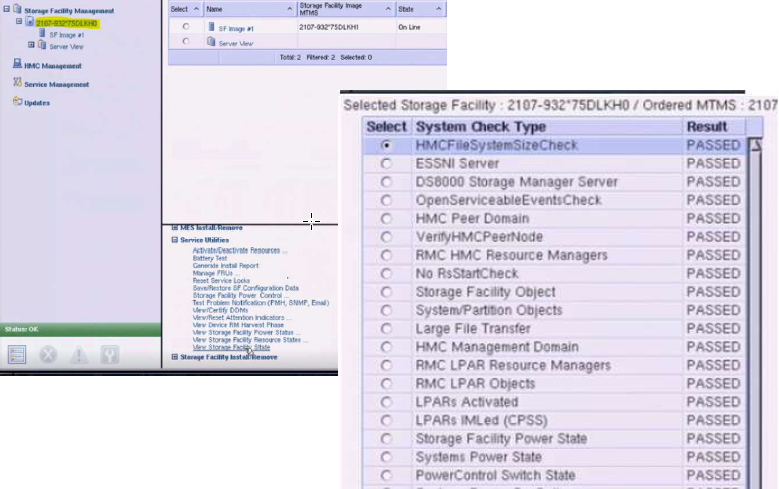
- Complete End of Call – Select the array from SF Manager, then in Tasks > Service Utilities > View Storage Facility State – verify all system checks have PASSED.