Disk Replacement - CLI
High level Steps
[[#1. Run Health Check to verify disk failures]]
[[#2. Collect details of bad disks at the node level]]
[[#3. Disk removal (logically)]]
[[#4. PHYSICAL REMOVAL]]
[[#5. Confirm new drive has been identified and the state is "Good"]]
[[#6. Replace new drive with original drive (logically)]]
[[#7. Complete process with system cleanup]]
[[#GUI]]
[[#Example]]
Notes
Meeting through Zoom allows the customer to share the clipboard for easy copy/paste
Can check GUI for information as well (see pics at bottom of page)
All nodes should have 55 disks
Keeping an open notepad document for the replacement is handy to complete commands before hand and to keep track of which disk has been worked on
Procedure
1. Run Health Check to verify disk failures
service-console run Health_Check --tag disks
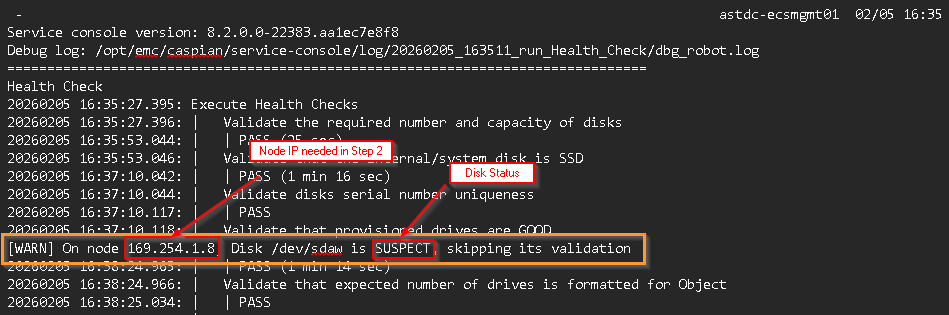
Identify Suspect / Failed drives cluster wide
2. Collect details of bad disks at the node level
service-console run Disk_List --target-node <node_IP> --disk-smart 'SUSPECT,FAILED'
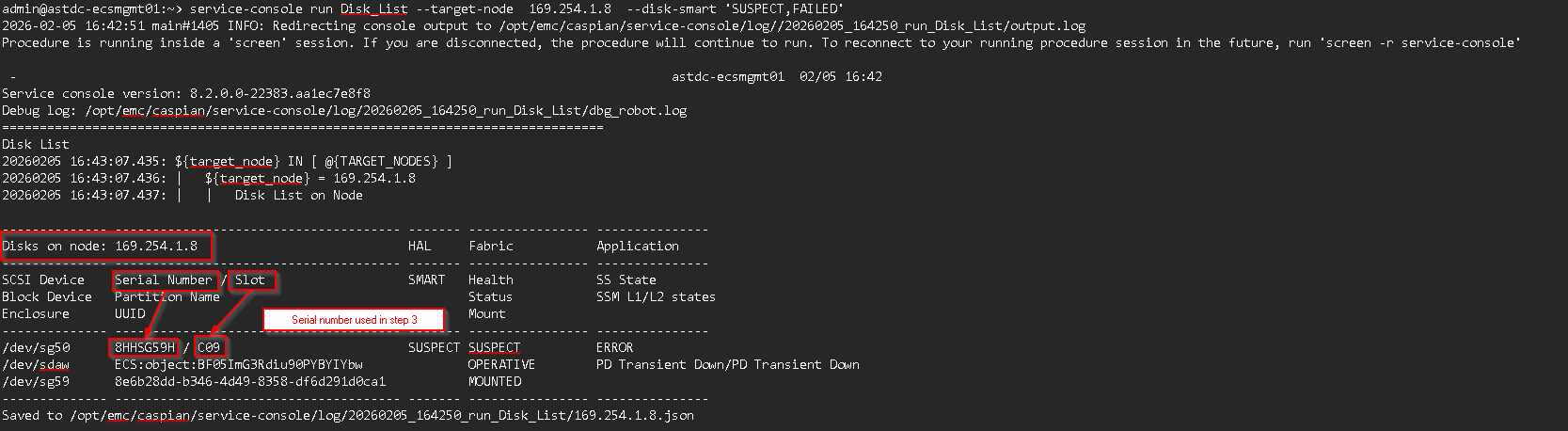
Identify Suspect/Failed drive details at the node level
3. Disk removal (logically)
service-console run Disk_Removal --target-node <node ip> --disk-sn <serial number from step 2>
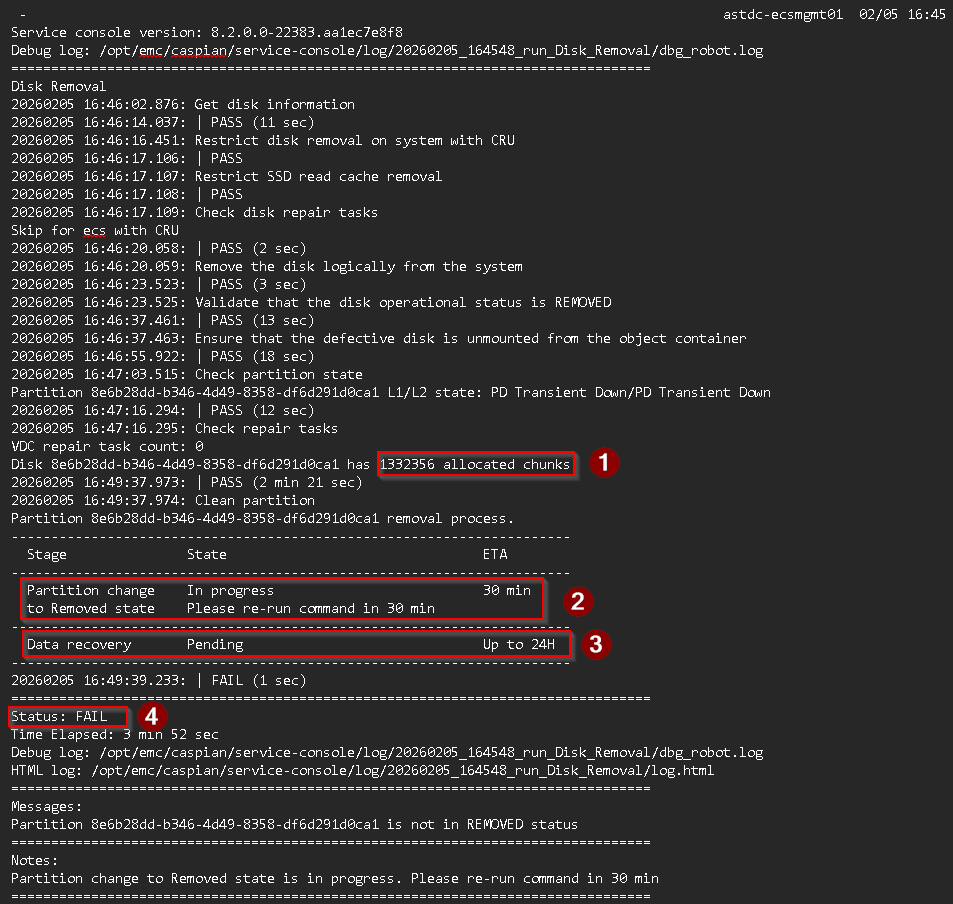
- Allocated chunks need to be vacated from "Suspect" drives before it is ready for replacement
- Partition status - this will show "Completed" state when the disk has been removed from the partition
- Data recovery - Data has been moved off the "Suspect" or "Failed" drive
- Status of the procedure, will not "Pass" until chunks have been moved off the disk and it is ready for removal
Above command can be ran with no impact until a "Pass" status is seen
4. PHYSICAL REMOVAL
Once the previous command shows a green PASS, the system will turn on the LED of the failed drive so the FE has an indicator for removal.
FE is good to physically remove the disk
5. Confirm new drive has been identified and the state is "Good"
viprexec -n <node ip> 'sudo -i cs_hal list disks | egrep -i "<disk slot>|slot"'

Verify disk serial number has changed, slot id is correct, and SMART is GOOD
6. Replace new drive with original drive (logically)
service-console run Health_Check --tag replaced_disk --target-node <node IP> --disk-sn <disk serial number from step 5>
Logically replaced original drive with new drive
This step can take 5 - 10 minutes to pass
7. Complete process with system cleanup
service-console run Disk_Replacement_Teardown --target-node <node IP> --disk-sn <disk serial number> --force-led-off true
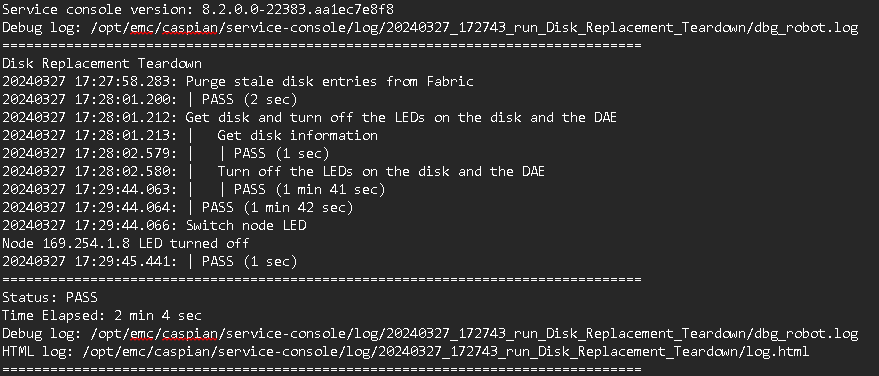
Clean up the system, remove old entries of the failed drive and shuts off disk LED
GUI
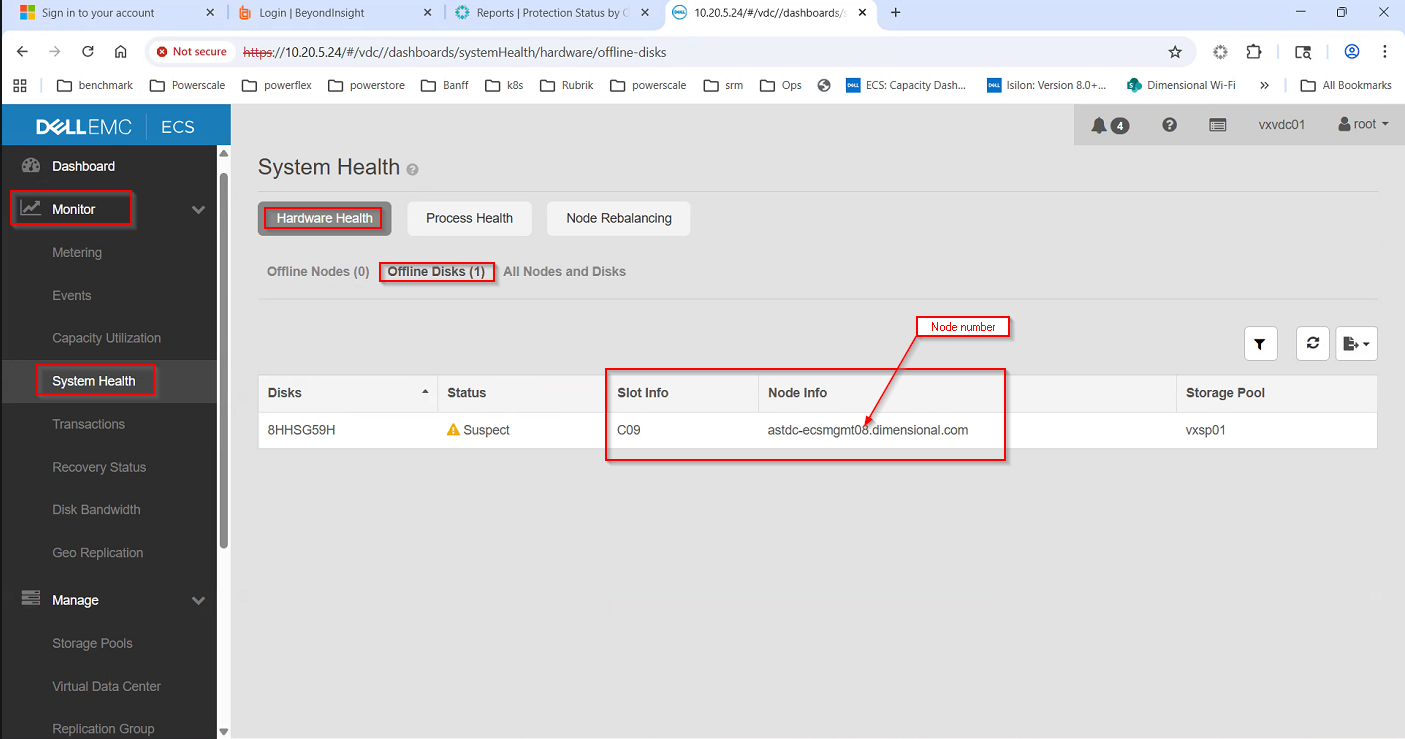
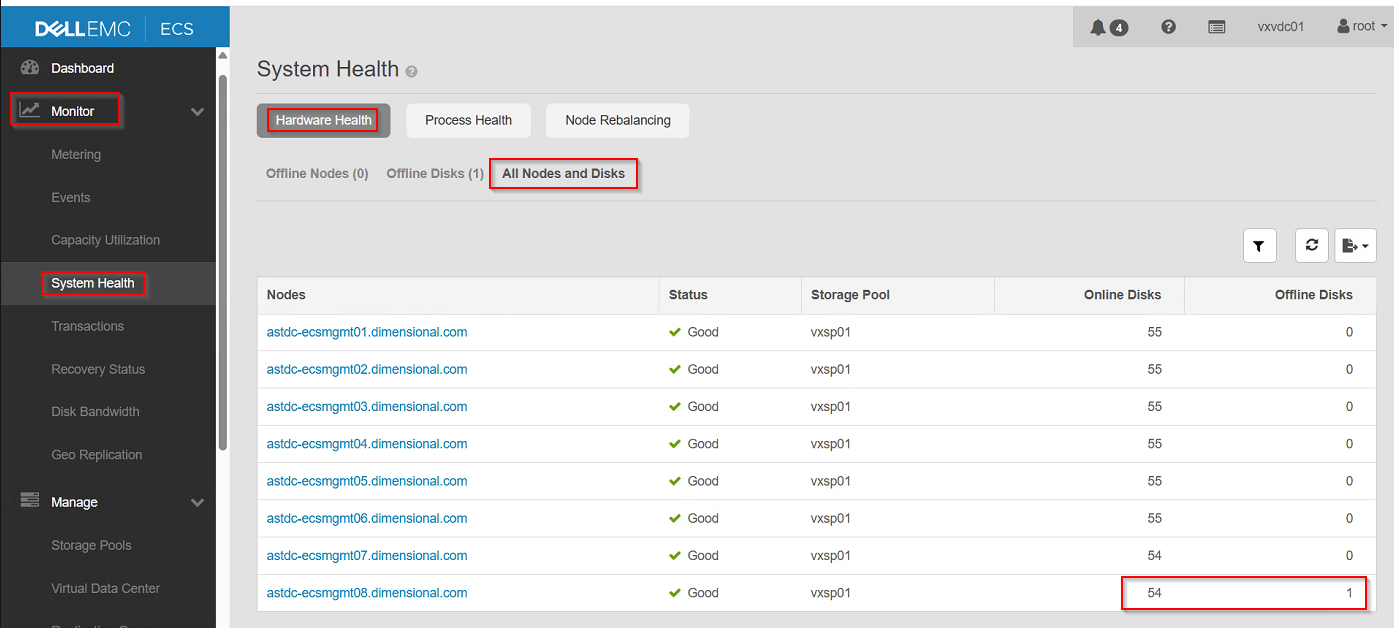
Example
[[../../Work/Documentation/Dell_EMC/ECS/ECS_notes.txt]]