Inlines Overview
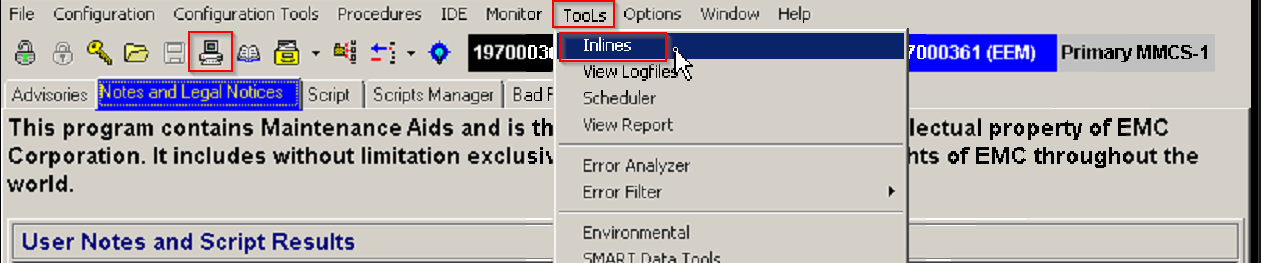
Accessing the Inline interface
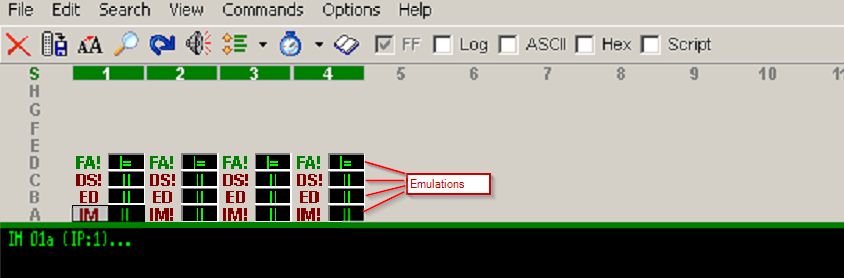
[[Emulations#Emulations|Emulations]]
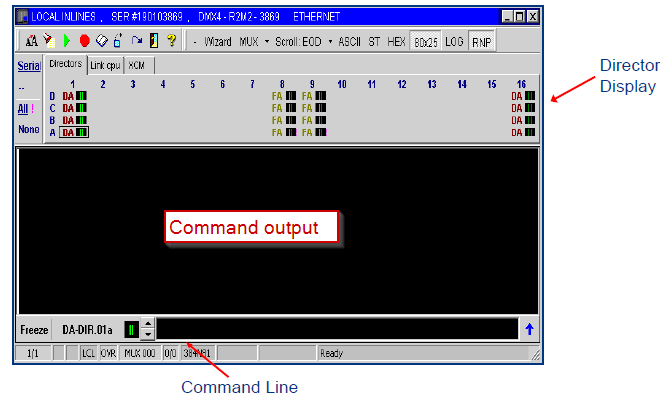
Inline anatomy
Command Structure
- Utility, Parameter 1, Parameter 2, Parameter 3, etc .....
- ex: A7,D,35,4
- Commands can have different amounts of parameters or none at all
- If a utility is used by itself, a comma needs to follow it to indicate end of command, a comma is not needed after the last parameter
- Commands are issued to a specific director / slice
- user chooses director / slice by logging into it (clicking on the desired director / emulation)
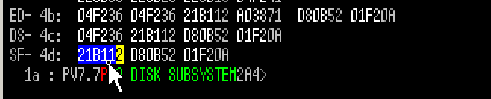
- Highlighting a single hex block output and pressing F8 will translate the output to a readable output
Tips
- To track Inlines commands used as well as save an output of work completed with errors, the session can be logged
- Default folder for the log is in the symmwin folder
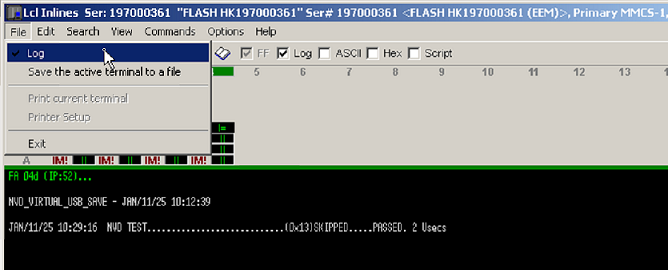
- Default folder for the log is in the symmwin folder
- Some Inline utilities have a help screen, to access the help screen add 'HELP' or AAAA to the end of the command
When using non-hex characters in commands they must be enclosed in quotes
- Example: A7,AAAA or A7,'HELP'
- Exit Inlines with the door or File > Exit
[[Inlines Quick Reference]]