Secure Link Connection
- Request access to secure link platform. Registration is done through Brant Kjera (brkjera@serviceexpress.com - OR - brant.kjera@topgun-tech.com)
- Once account has been created, you will receive an activation email with your User ID
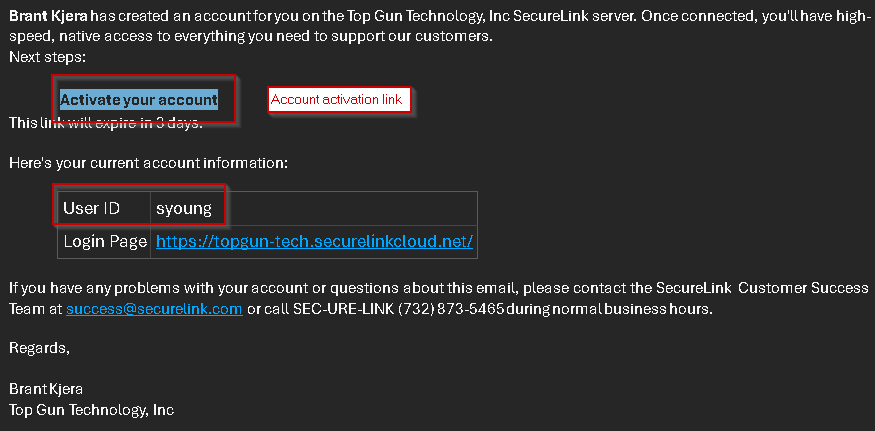
- Log into Secure Link site - https://topgun-tech.securelinkcloud.net/
- The site uses two factor authentication, you will receive a code via email
- Once logged in hover the mouse over Customers on the top menu tree and select [List Gatekeepers]
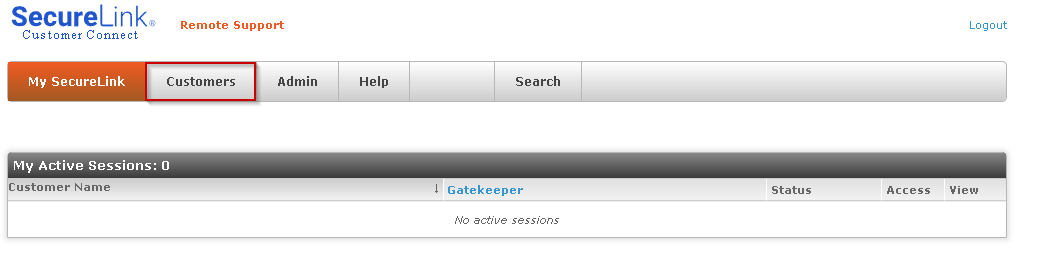
- Find the customer you need to access and select Connect from the hyper-link on the right of the screen
- Download the SecureLink Connection Manager
Click through warnings to allow access
- Fill out the connection form to gain access to the systems
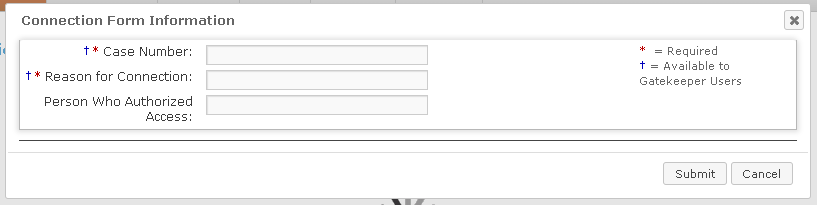
!!WARNING!!
Customer can see the information entered here.